Google Confirms Local Inventory Ads Auto-Enabled by Default in Shopping Campaigns
Google has officially confirmed what many advertisers first noticed in account emails: Local Inventory Ads will be enabled by default in eligible Shopping campaigns starting August 31, 2026. If you manage retail media, paid search, or omnichannel ecommerce, this is more than a minor interface update. It changes how Standard Shopping campaigns behave by default.
From my view, this is another clear sign of where Google wants retail advertising to go. The company keeps removing manual switches, cutting duplicate settings, and pushing advertisers toward a more unified online-and-local model. That may make campaign setup cleaner on paper, but it has immediate consequences for brands that have deliberately kept local and online performance strategies separate.
 What Google Actually Changed
The update itself is straightforward: for Shopping campaigns tied to Merchant Center accounts with the Local Inventory Ads add-on enabled, Google will automatically turn on local inventory serving by default.
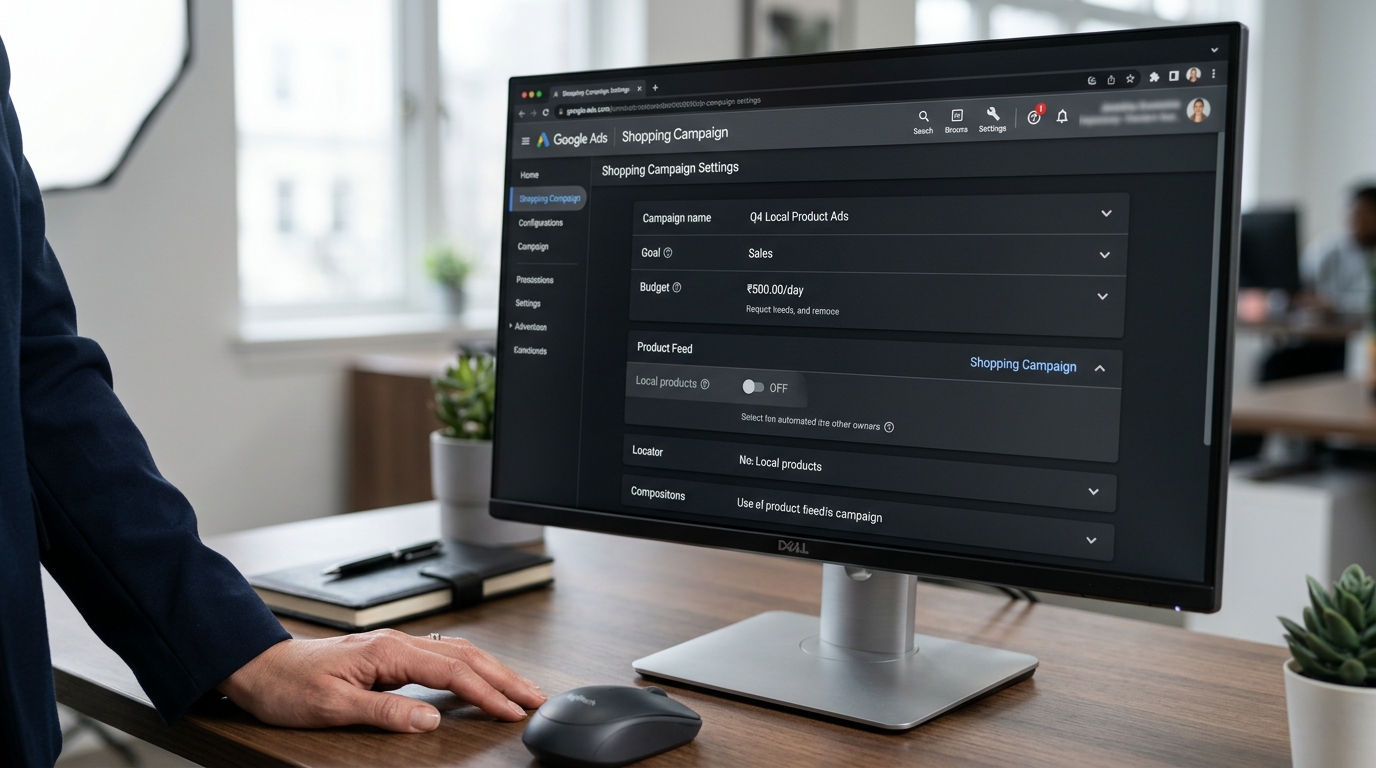
Historically, advertisers could control this through the “Local products” setting in campaign setup, or with the Campaign.ShoppingSetting.enable_local field in the Google Ads API. Beginning August 31, that setting effectively stops working for Shopping campaigns. Google’s backend will treat local inventory as enabled by default.
Put simply, if you previously relied on enable_local=false, that control is going away for Standard Shopping.
Google confirmed the change in its July 20, 2026 developer announcement, after advertisers had already started receiving email notices earlier in the month. Search Engine Land also verified the rollout and pointed to the practical impact on campaign management.
Why Google Is Doing This
Google frames the change as simplification. The company says it is removing duplicate controls and consolidating how advertisers manage local versus online inventory. Instead of using the old “Local products” toggle, campaign managers are expected to use the Inventory filter, specifically the channel filter for Online or Local.
That follows the path Google has already taken with Performance Max for Retail, where local inventory behavior is more automated and tightly integrated. In that sense, Standard Shopping is being pulled further into Google’s broader omnichannel ad framework.
From Google’s perspective, the strategy is easy to understand. Retail search behavior is no longer neatly split between ecommerce and store visits. People search with mixed intent, and Google wants campaigns to reflect that. The problem is that many advertisers still plan, budget, and report on those channels separately.
Who Is Affected
Not every advertiser will feel this right away. The change mainly affects Shopping campaigns linked to Merchant Center accounts that already have the Local Inventory Ads add-on enabled.
If your account does not use the LIA add-on, this initial update may not change campaign behavior today. But for retailers with physical stores, local feeds, or omnichannel fulfillment models, this matters a great deal.
The most affected groups include:
- Retail brands with store inventory feeds
- Agencies managing separate online and in-store media budgets
- Developers maintaining Google Ads API integrations
- Merchants who previously disabled LIA at the campaign level
- Teams still using Standard Shopping instead of fully consolidating into Performance Max
For these advertisers, the impact is as much operational as it is strategic.
The Biggest Implication: Loss of a Simple Opt-Out
The real headline is not just that LIAs are on by default. It is that advertisers are losing the old, simple way to turn them off.
That matters because many retailers have built campaign structures around clear channel separation. Some run online-only Shopping campaigns with dedicated ROAS targets. Others isolate local inventory to support store traffic goals, different attribution windows, or region-specific promotions.
With this update, Google is effectively saying: local participation is assumed unless you actively rebuild around the new filtering method.
That is a major change in default behavior.
What Advertisers Need To Do Before August 31
If you currently rely on disabling local inventory in Shopping campaigns, now is the time to audit your setup.
Start by identifying which campaigns are connected to Merchant Center accounts with the LIA add-on enabled. Then review whether those campaigns are meant to serve both online and local inventory, or whether they were intentionally limited to online only.
Google’s replacement control is the Inventory filter. Advertisers can use channel-based filtering to separate Local and Online inventory instead of relying on the legacy campaign setting. In API-based workflows, another option is to apply listing scope exclusions using product_channel=ONLINE where needed.
So yes, local inventory may be “on” by default, but campaign behavior can still be shaped through inventory segmentation. The difference is that the old switch disappears, and the work moves into campaign architecture.
 API and Automation Consequences
For developers and tool providers, this change deserves close attention.
Google confirmed that after August 31, attempts to set enable_local=false in Shopping campaigns will no longer work as they did before. In API versions earlier than v25.1, the request may still process, but Google will effectively treat the field as true. In v25.1 and later, attempts to disable local inventory for Shopping campaigns can return a ContextError.OPERATION_NOT_PERMITTED_FOR_CONTEXT error.
Any custom scripts, internal tools, or third-party automation that assume campaign-level local control should be updated now. Otherwise, teams risk broken workflows, false assumptions, or campaign settings that look valid but do not behave the way operators expect.
This is exactly the kind of platform change that creates silent inefficiency when nobody catches it early.
A Broader Pattern in Google Ads
I do not see this as a one-off adjustment. It fits a familiar Google Ads pattern: fewer granular controls, more automation, more default enablement, and more emphasis on broader retail coverage across surfaces.
For some advertisers, that will genuinely help. A retailer that has underused local inventory may gain additional visibility without needing a separate campaign type. For others, especially sophisticated brands with tightly segmented budgets, the change adds friction instead of removing it.
That tension shows up more and more in Google Ads. The platform is increasingly built for simplicity at scale, while advanced advertisers are left to adapt through filters, feed controls, exclusions, and structural workarounds.
My Take on What Comes Next
I expect this change to accelerate omnichannel normalization inside Shopping. More advertisers will need to think beyond the old “online campaign versus store campaign” split and build frameworks that account for blended demand while still preserving reporting discipline.
I also would not assume this is the last move in this direction. Google has been steadily consolidating retail ad controls, and default-on settings usually point toward deeper automation over time. That makes proactive auditing even more important. If your campaigns, feeds, and bidding logic are not aligned with Google’s defaults, you can drift into performance patterns you never intended.
FAQ
When does this change take effect?
Google says Local Inventory Ads will be auto-enabled by default in eligible Shopping campaigns starting August 31, 2026.
Which campaigns are affected?
Shopping campaigns tied to Merchant Center accounts with the Local Inventory Ads add-on enabled are the primary ones affected.
Can advertisers still separate online and local inventory?
Yes, but not with the old campaign-level toggle. Google wants advertisers to use the Inventory filter and channel-based segmentation instead.
What happens to the API field enable_local?
For Shopping campaigns, setting enable_local=false will no longer function as before. In newer API versions, it may return an error.
Conclusion
Google’s confirmation that Local Inventory Ads will be auto-enabled by default in eligible Shopping campaigns is a meaningful operational shift, not just a product note. It reinforces Google’s push toward omnichannel advertising, but it also removes a layer of direct campaign control that many retailers and agencies have depended on.
The practical advice is simple: audit affected Shopping campaigns now, review your Inventory filter strategy, and make sure your reporting and automation stack are ready before the August 31 rollout. If you want a smarter way to stay on top of changes like this and protect profitability as Google keeps rewriting the rules, I recommend building your workflow around ROAS Suite.