Free Unlimited Local AI Image-to-Video Tools Emerge via ComfyUI
I’ve been watching a major shift in AI creative production, and it matters especially for marketers, creators, and e-commerce teams: free, unlimited local image-to-video generation is becoming genuinely practical through ComfyUI.
This isn’t about one flashy launch. It’s the result of several trends coming together in 2026: better open-source video models, stronger community-built workflows, lower hardware barriers, and growing frustration with subscription fees, queues, and credit caps. Put together, those forces are turning ComfyUI into one of the most important tools in local AI video creation.
 Why this matters now
For years, AI video mostly lived behind cloud platforms. The results could be impressive, but the tradeoffs were familiar: monthly subscriptions, daily credit limits, watermarks, wait times, and limited control over the final output. That setup works for occasional use, but it gets expensive fast when you’re producing lots of ad variations, social clips, or product animations.
That’s why local image-to-video workflows matter. With ComfyUI, creators can run image-to-video generation on their own machines, often with no recurring usage cost after setup. In practical terms, that means unlimited iterations, deeper customization, and no dependence on someone else’s pricing model.
For teams producing performance creative, that changes the economics right away.
How ComfyUI became the center of this trend
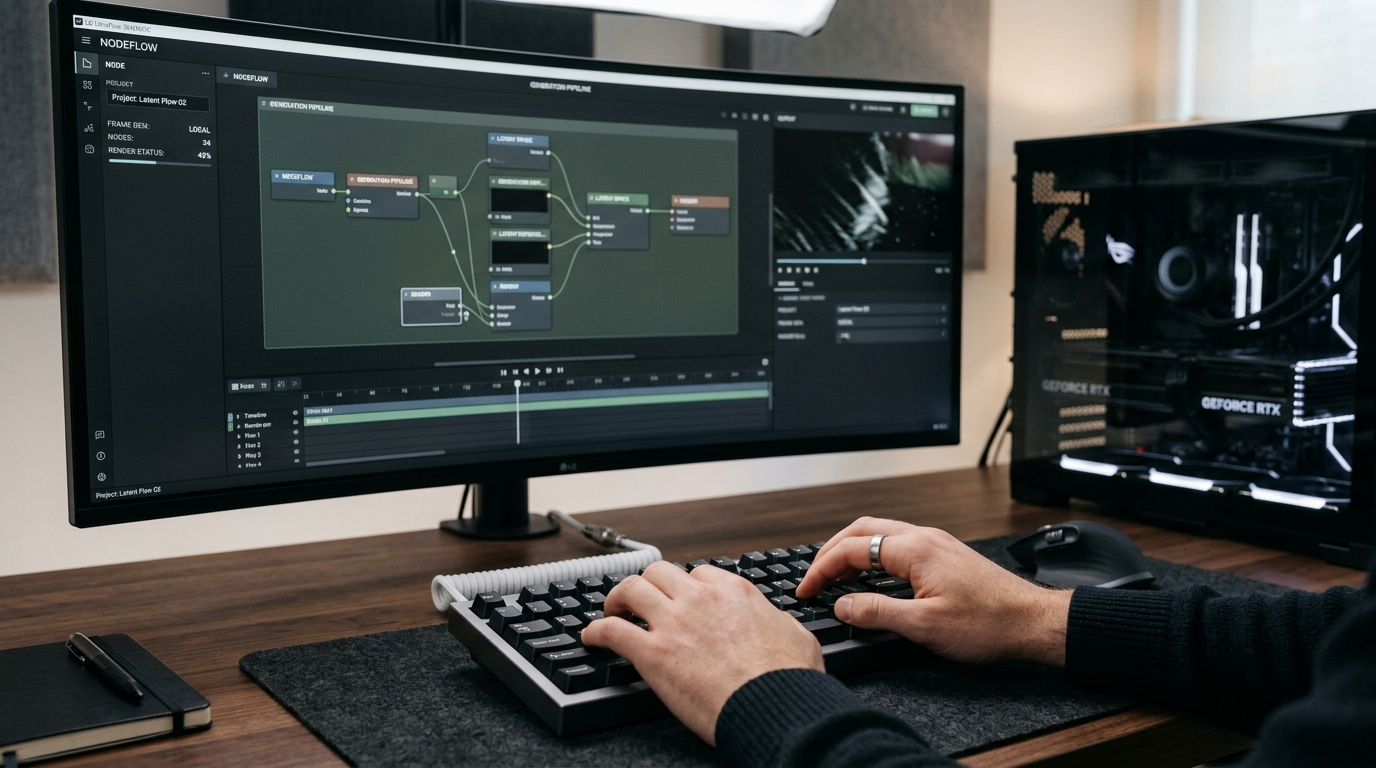
ComfyUI began as a node-based interface for AI image generation, but its real advantage has always been flexibility. Instead of locking users into a fixed experience, it lets them build modular workflows with prompt conditioning, image input, motion settings, upscaling, ControlNet guidance, frame interpolation, and more.
That design turned out to be a natural fit for video.
As open-source video models improved, ComfyUI became the place where the community assembled practical pipelines. Rather than waiting for a polished all-in-one app, users built workflows that could turn static product images, lifestyle shots, or concept art into short motion clips with a surprising amount of control.
That community momentum pushed ComfyUI from a niche technical tool into a serious production option.
The models driving local image-to-video forward
A big reason this trend has accelerated is the rise of better open-source video models, especially the WAN series. WAN 2.2 earned a reputation as one of the most reliable local options for image-to-video inside ComfyUI, and newer WAN 2.6 developments pushed things further with better motion quality, stronger instruction following, improved consistency, and support for longer multi-shot outputs.
In plain terms, these models make local generation feel less experimental and more useful.
Instead of producing only short, unstable clips, local workflows can now generate motion graphics that work well for:
- product promos
- social ad creative
- animated hero shots
- stylized brand content
- concept-to-video prototyping
Other players in the ecosystem still matter. Cloud-first tools like Runway, Kling, and Veo continue to lead in some premium areas, but the difference is that ComfyUI gives users a local alternative with much more freedom over volume and workflow design.
What “free and unlimited” really means
The phrase needs a little definition.
Local ComfyUI workflows are not free in the sense that they require no resources. You still need hardware, storage, setup time, and a willingness to learn. In many cases, a strong NVIDIA GPU makes the experience much better, and higher-VRAM cards still have a clear advantage with larger or more capable models.
But compared with paying per generation, per second, or through a monthly plan, local generation can absolutely feel unlimited. Once the software and models are installed, you can run as many tests, revisions, and variations as your machine can handle.
That matters most when your workflow depends on experimentation. And that’s usually where winning creative comes from.
 Why marketers and e-commerce teams should pay attention
This isn’t just exciting for hobbyists. It has real consequences for brands and performance teams.
If I’m building ad creative, I don’t want to treat every generation like it’s expensive. I want to test angles, try multiple hooks, turn product stills into motion assets, and see what happens when I change pacing, framing, background action, or transitions. Subscription-based tools often make that kind of rapid iteration either costly or frustrating.
ComfyUI changes that equation.
A single product image can become multiple video variations. A brand visual can turn into short animated loops for paid social. Creative teams can prototype motion concepts before committing to full production. That means faster idea validation and lower cost per test.
For performance marketers, that’s not a small improvement. It’s a structural advantage.
The catch: accessibility still has limits
As promising as this shift is, it isn’t frictionless.
ComfyUI is powerful, but it still asks more from the user than most cloud apps. Installing custom nodes, downloading models, managing dependencies, understanding VRAM limits, and troubleshooting workflows can be intimidating. For non-technical users, the learning curve is real.
Hardware is the other major constraint. While optimizations and lighter model variants are improving accessibility, local AI video still benefits significantly from modern GPUs. If someone expects a one-click experience on basic hardware, they may be disappointed.
So yes, the tools are more democratized than ever, but they aren’t fully mainstream yet. The breakthrough isn’t that complexity has disappeared. It’s that the payoff now justifies the complexity for a much wider group of users.
Where this is heading next
This trend is only going to accelerate.
We’re likely moving toward a hybrid creative stack where local tools handle bulk iteration and cost-efficient production, while cloud tools remain useful for specialized features, premium rendering, or collaboration. As models improve, we should see longer clips, better motion physics, more reliable character consistency, improved audio sync, and lower VRAM requirements.
That means local image-to-video won’t remain a niche experiment. It’s becoming part of the standard toolkit.
And once that happens, the advantage shifts toward teams that can organize, test, and scale creative output effectively—not just generate it.
FAQ
Is ComfyUI really free for image-to-video generation?
The software and many workflows are free, but you still need hardware, storage, and time to set everything up. The main savings come from avoiding recurring generation fees.
Do you need a powerful GPU to run local AI video tools?
Usually, yes. Lighter workflows exist, but local AI video performs much better with a modern NVIDIA GPU, especially if you want faster generation and support for larger models.
Who benefits most from local image-to-video workflows?
Marketers, e-commerce teams, content creators, and creative strategists benefit the most because they often need high-volume testing, quick iteration, and lower production costs.
How does ComfyUI compare with cloud video tools?
Cloud tools can still lead in convenience and certain premium features, but ComfyUI offers more flexibility, more control, and effectively unlimited generation once everything is installed locally.
Conclusion
What’s emerging through ComfyUI is bigger than a new AI toy. It’s the maturation of a local, open, and effectively unlimited image-to-video workflow that gives creators more control and a far lower marginal cost. For anyone serious about turning creative volume into business results, the opportunity isn’t just making more videos—it’s building a system around them. That’s exactly why I’d pair this kind of production workflow with a platform built for performance decision-making, and ROAS Suite is a smart place to start.